
The Style You Can't Name? It's Already Been Drawn for You
You've had this moment: you scroll past an image and think, that's exactly the vibe — but ask you what the style is called, what to search for, or how to write the prompt, and you stall.
It stalls real work, too — posters, videos, product visuals. All you can do is describe the feeling vaguely to an AI and let it guess. Wrong guess? Reword it and let it guess again.
Style should be something you pick by looking, not by guessing.
AI Stylebook is built for exactly that stall: it pre-generates 467 image styles and lays them out as a visual atlas you can flip through. Your only job is to recognize the one you meant.
What it's for
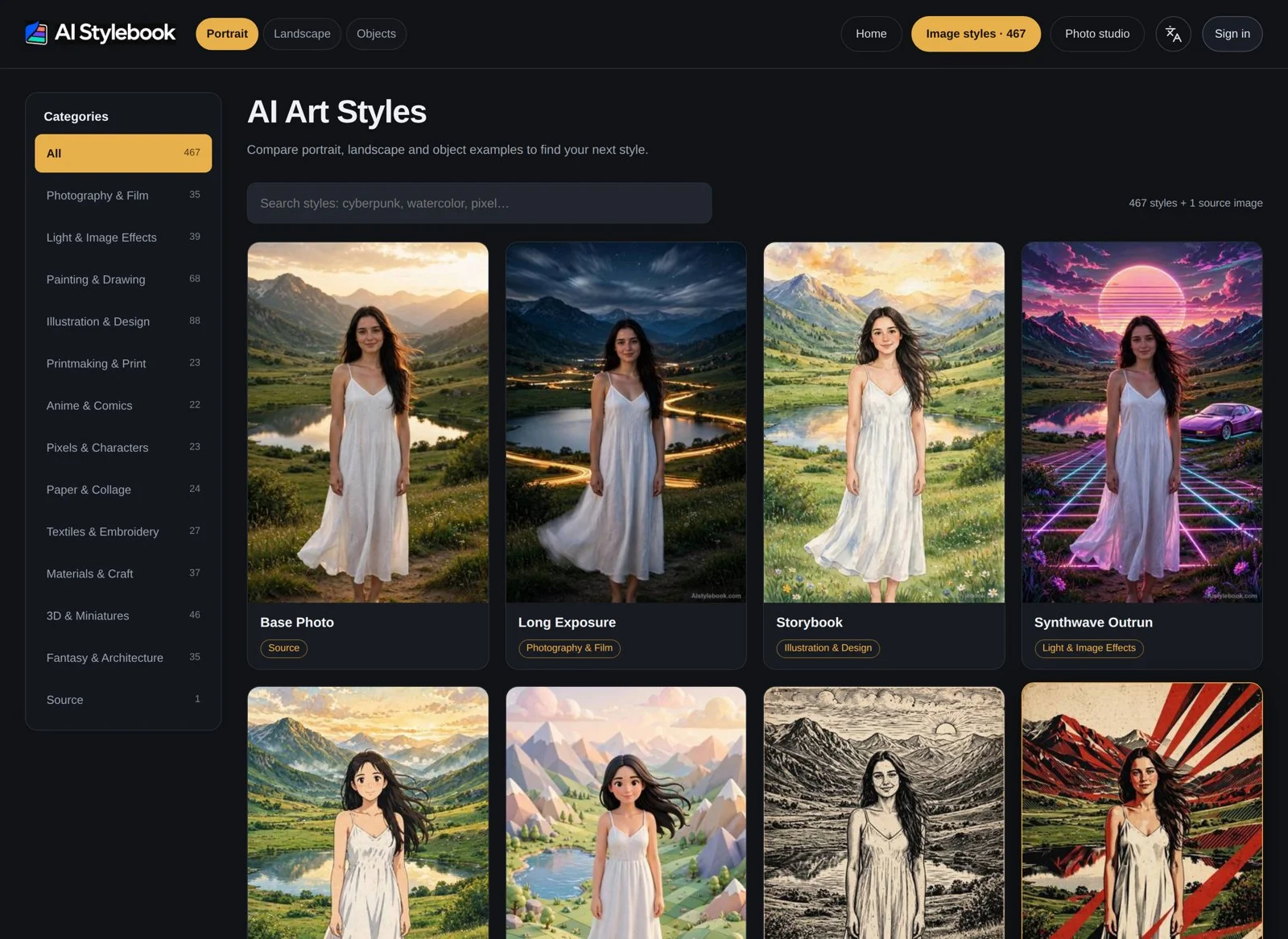
Finding a style: Browse by category or search directly, click into anything that looks right, and skip the hours of reference hunting.
Copying the homework: Every style page ships a ready-to-use prompt. Sign in, copy it in one click, drop it into your image tool of choice, and generate in the same style.
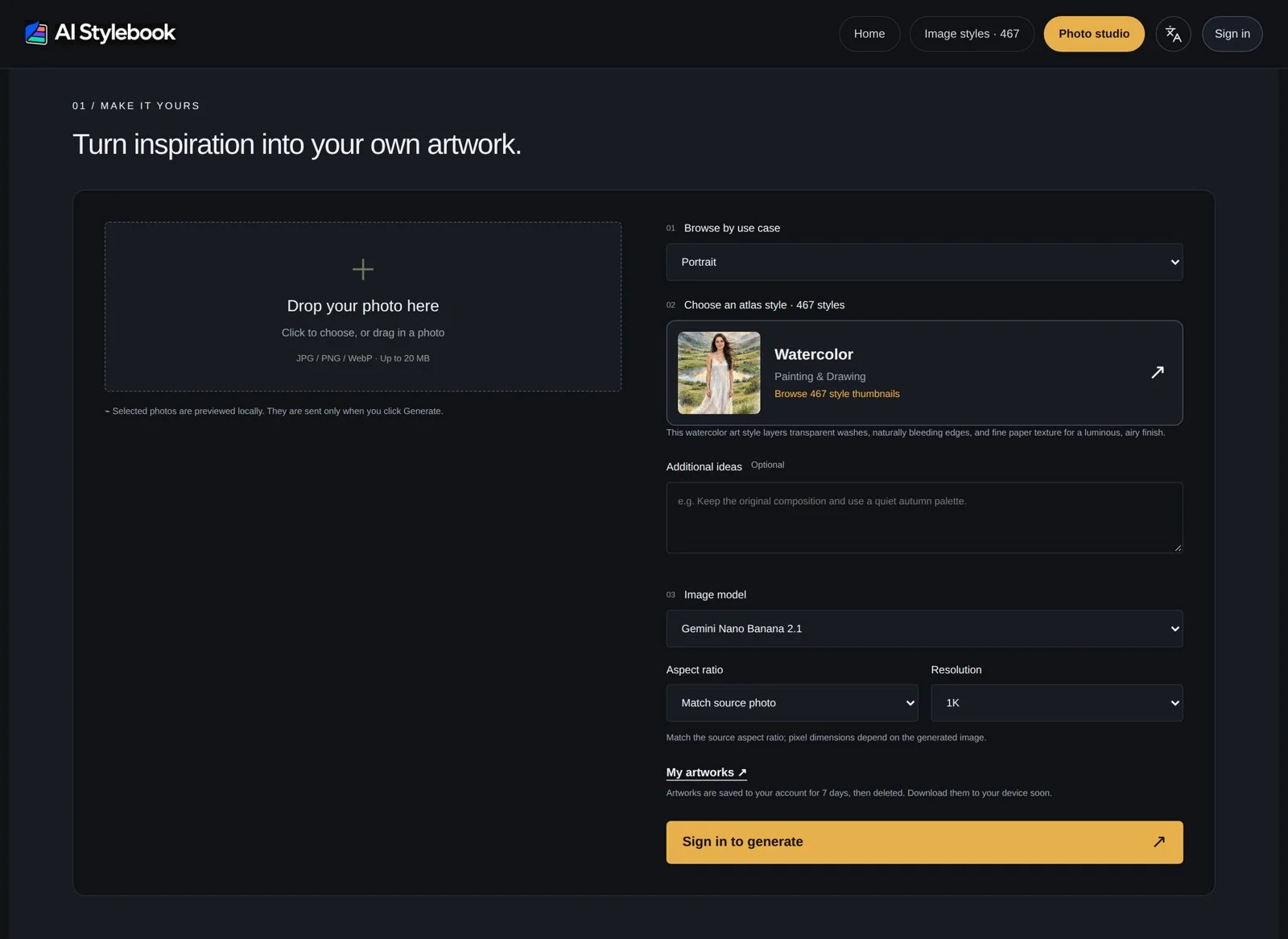
Generating in place: The built-in Studio takes your own photo and applies a chosen style right there — no bouncing between tools.
In short: it compresses the old half-hour loop of "imagine a style — hunt for references — trial-and-error the prompt" into flip the atlas, click once.
What makes it different
Same-image comparison is the smartest thing here. All 467 styles are rendered on the same reference image: the same person, the same mountain lake, the composition untouched — only the style changes. Flip through them side by side and the differences read instantly. No mental math about "how would this style handle a portrait?"
Every style gets the same three tests. Portrait, landscape, and still life each get an example — a style that flatters faces but falls apart on scenery has nowhere to hide. You can judge its consistency before you commit.
It doesn't just show the style; it explains it. Each style page breaks the visual language down: color, brushwork, texture, keywords, even representative creators and where the style comes from. Understand it first, and reproducing it stops being a lottery.
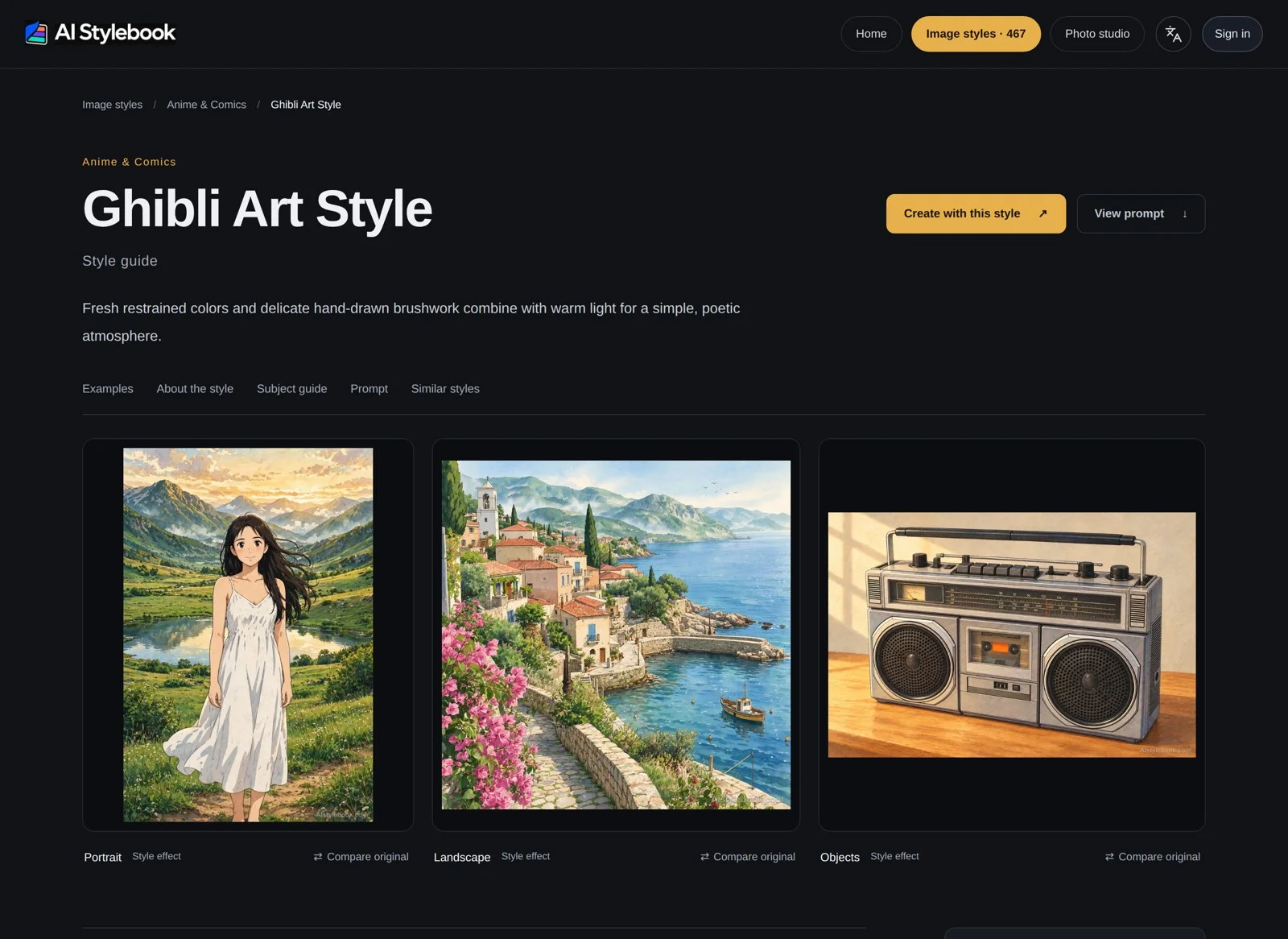
The atlas itself is free to browse. Flipping through styles and examples costs nothing. Prompts unlock after sign-in, and Studio generations run on credits — priced clearly before you generate, never after.
Side by side: one image, six fates
The composition doesn't move. Only the hand does.
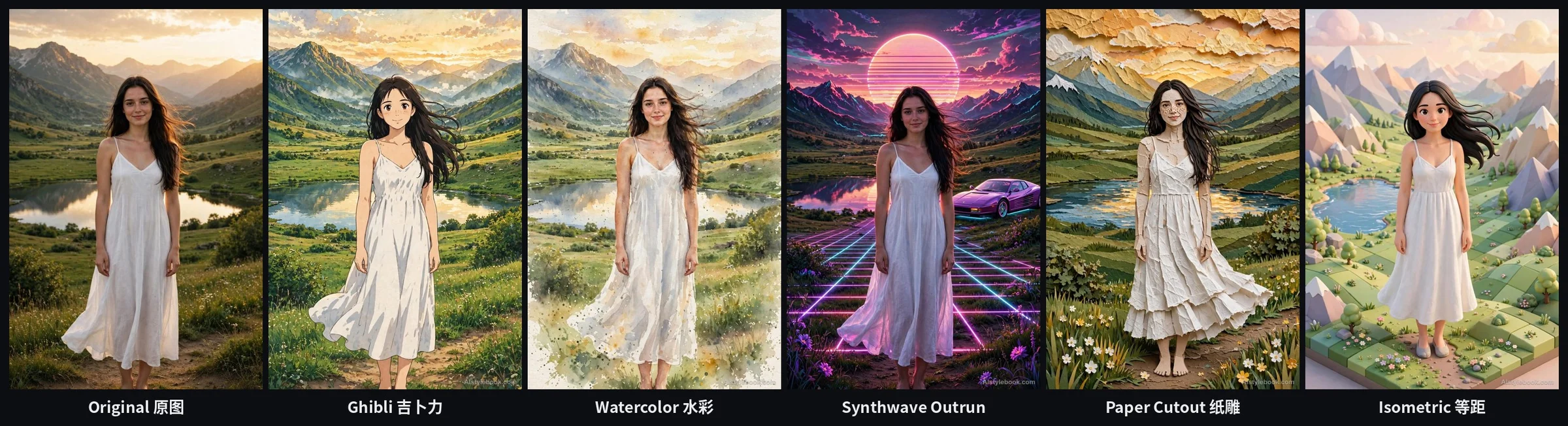
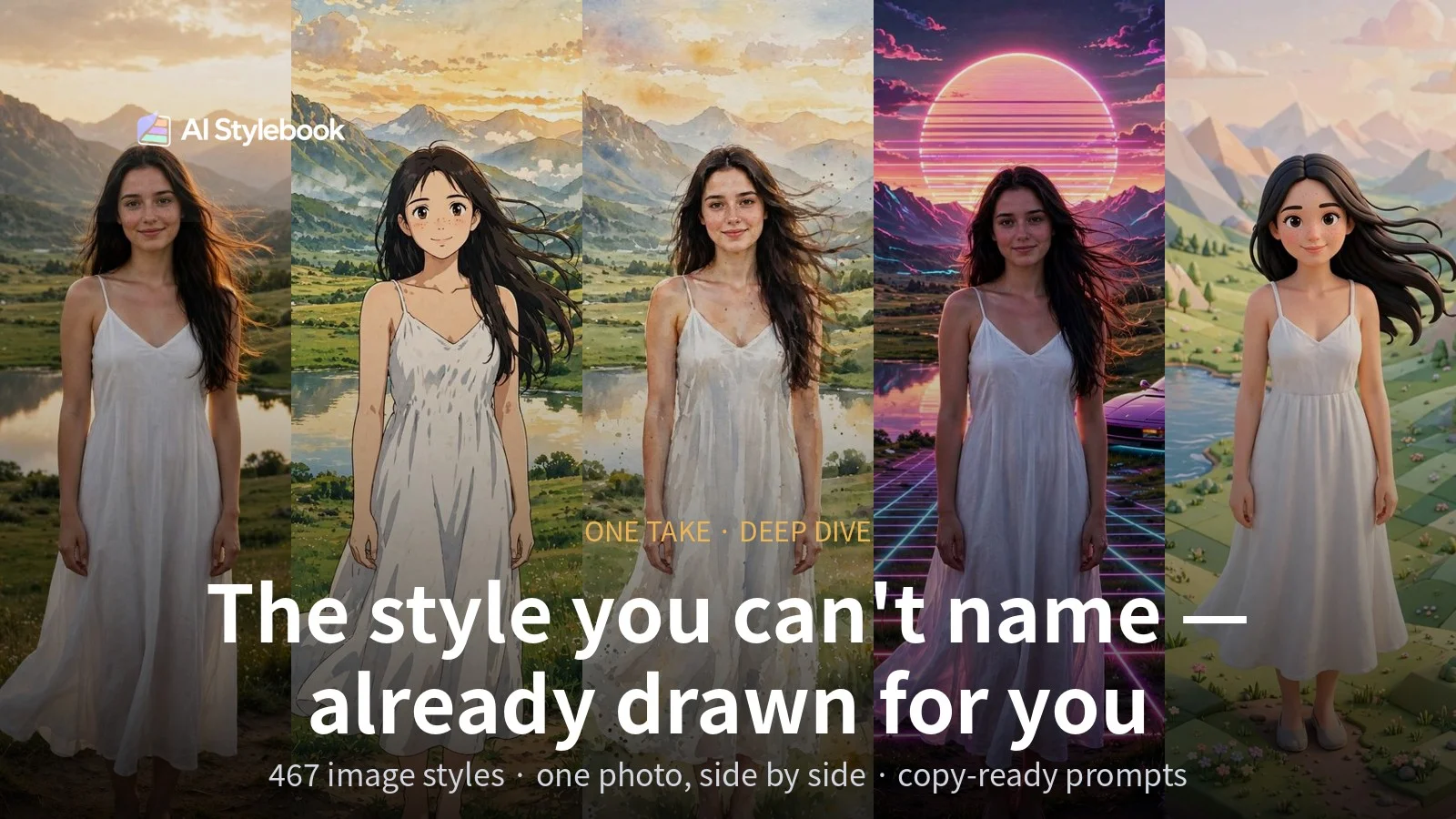
This is the atlas's portrait reference: the original on the far left, then Ghibli, Watercolor, Synthwave Outrun, Paper Cutout, and Isometric 3D. Her pose, the dress, the mountains and the lake stay put — what changes is purely the rendering.
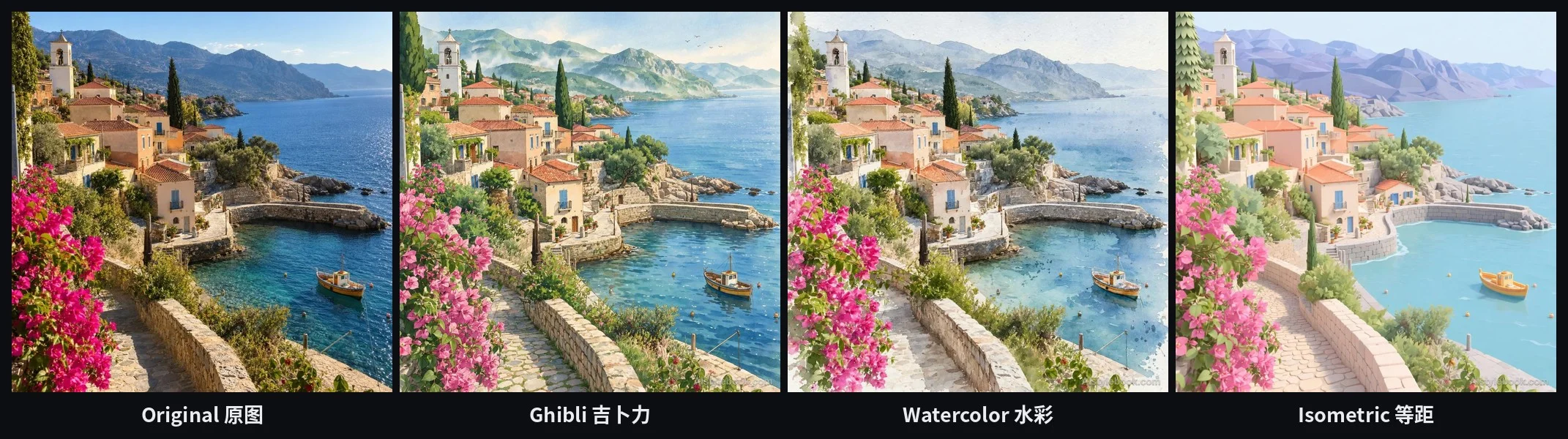
The landscape behaves the same way: a Mediterranean coastal village becomes an anime-film sky under Ghibli, bleeds softly in watercolor, and turns into a miniature model box in isometric view.
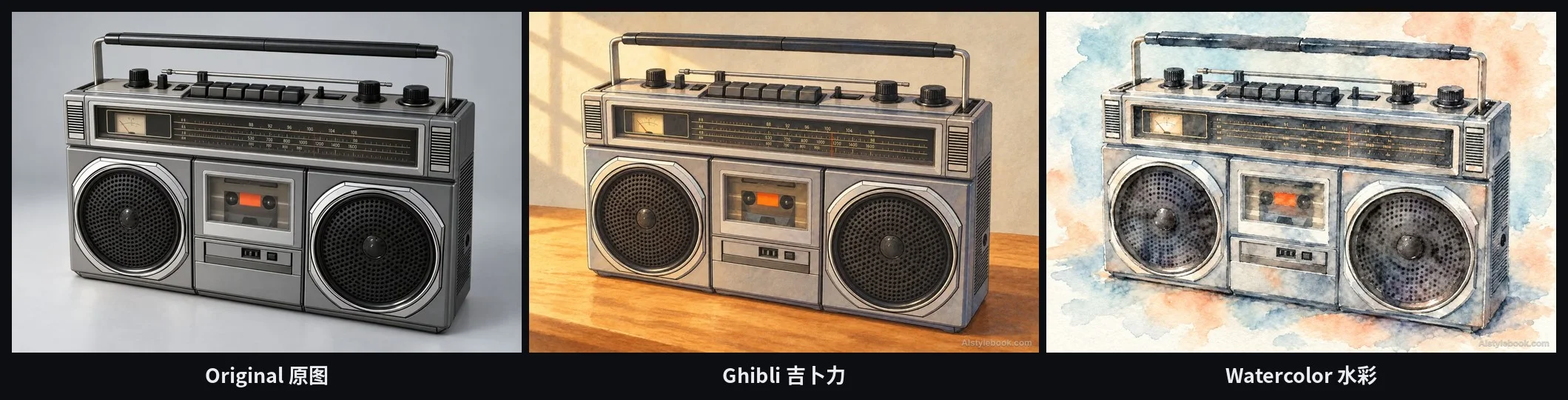
And the still life — an old boombox — is the honest test: a Ghibli prop on one side, a sketchbook page on the other. The simpler the subject, the less room a style has to hide its flaws.
Where it earns its keep
Locking a visual direction for promos: When a poster or a video cover needs a look, flip the atlas first, then start working from the example and its prompt — no half-day reference safari up front.
Products and indie building: Style reference for product pages, app icons, and game art — especially in the early phase when you know the mood but not its name.
Content and social visuals: Generate a whole set of images in one style and a channel's visuals suddenly look like they belong together.
Pitches and mood boards: Send the atlas link instead of trading adjectives. Everyone looks at the same picture, and the argument ends.
Learning style itself: Treat the style pages as a pocket field guide — color, brushwork, keywords. After a while, your own prompts get sharper for free.
The bottom line
AI Stylebook is still in beta, and its Motion, Video, and Website libraries are still on the waitlist. If those land, this atlas stops being just about images.
But even today, those 467 styles solve one very specific problem: finding, in about three minutes, the style you couldn't name.
Site: aistylebook.com — start with the portrait set, and put Ghibli next to Synthwave. That contrast makes the point faster than this article can.